Hey, this is Steve from tldraw.
We’ve just landed a new release of the tldraw SDK. This version improves performance across the board (thanks Claude), adds a new starter kit and improves our agent kit, adds a new quick zoom function, redesigns our laser pointer, and surfaces two secret fill styles.
You can read the full release notes here, or keep scrolling for the highlights.
Faster performance in large rooms
We’ve made some major improvements across the board when it comes to performance in rooms with many shapes.
We now use an R-tree spatial index under the hood, so brush selection, scribble selection, and erasing stay fast even in rooms with thousands of shapes. Instead of checking every shape on the page, the editor now only looks at shapes that could possibly be in the relevant area.
Shape indicators now render using 2D canvas instead of SVG, making it much faster to select or hover over many shapes (up to 25x faster rendering in some cases).
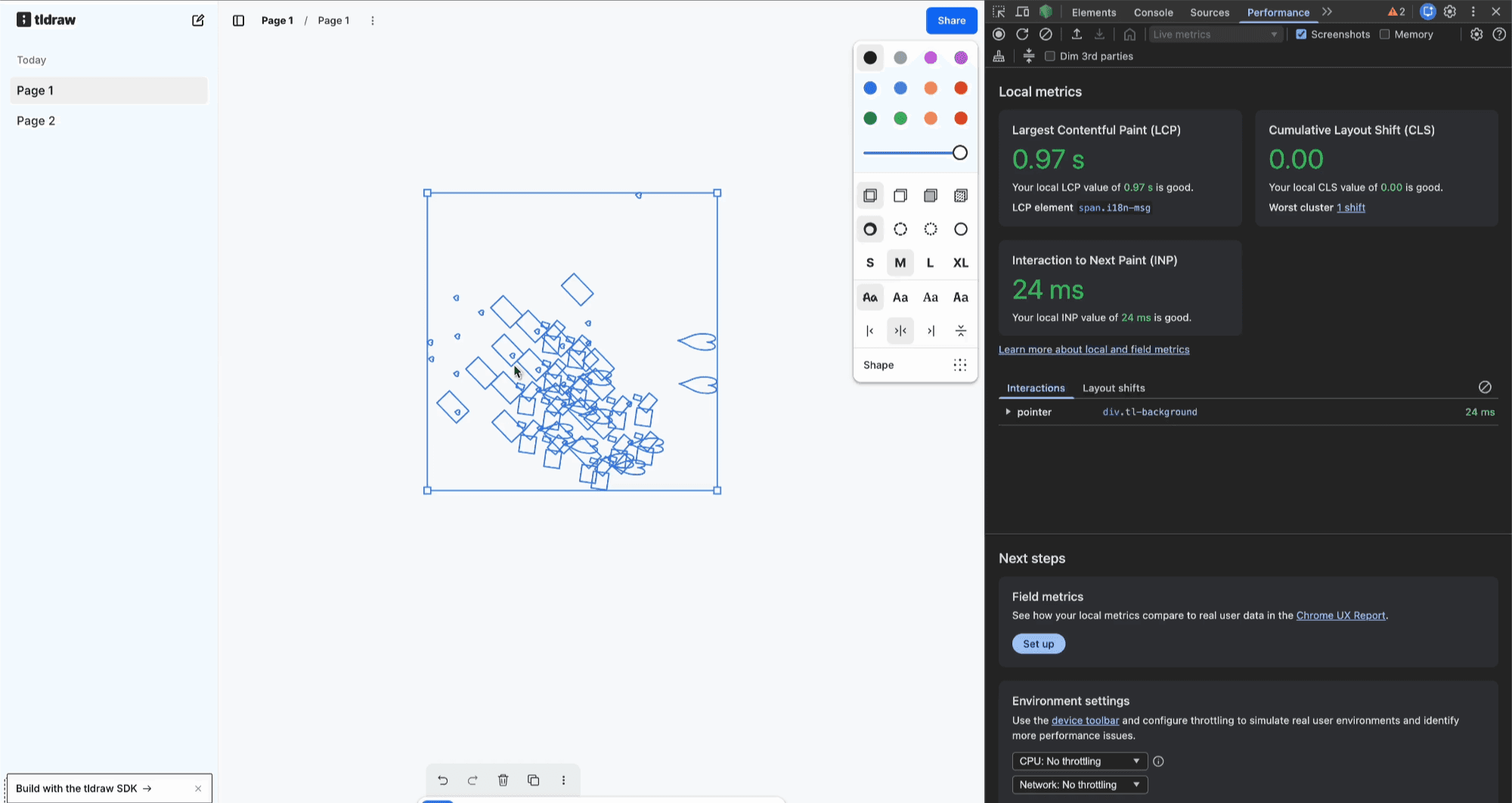
A few other improvements we made for large rooms include:
Optimizing comparisons in large multiplayer rooms
Avoiding unnecessary checks for shapes that aren’t visible on screen
Improving string hash caching for Shape IDs
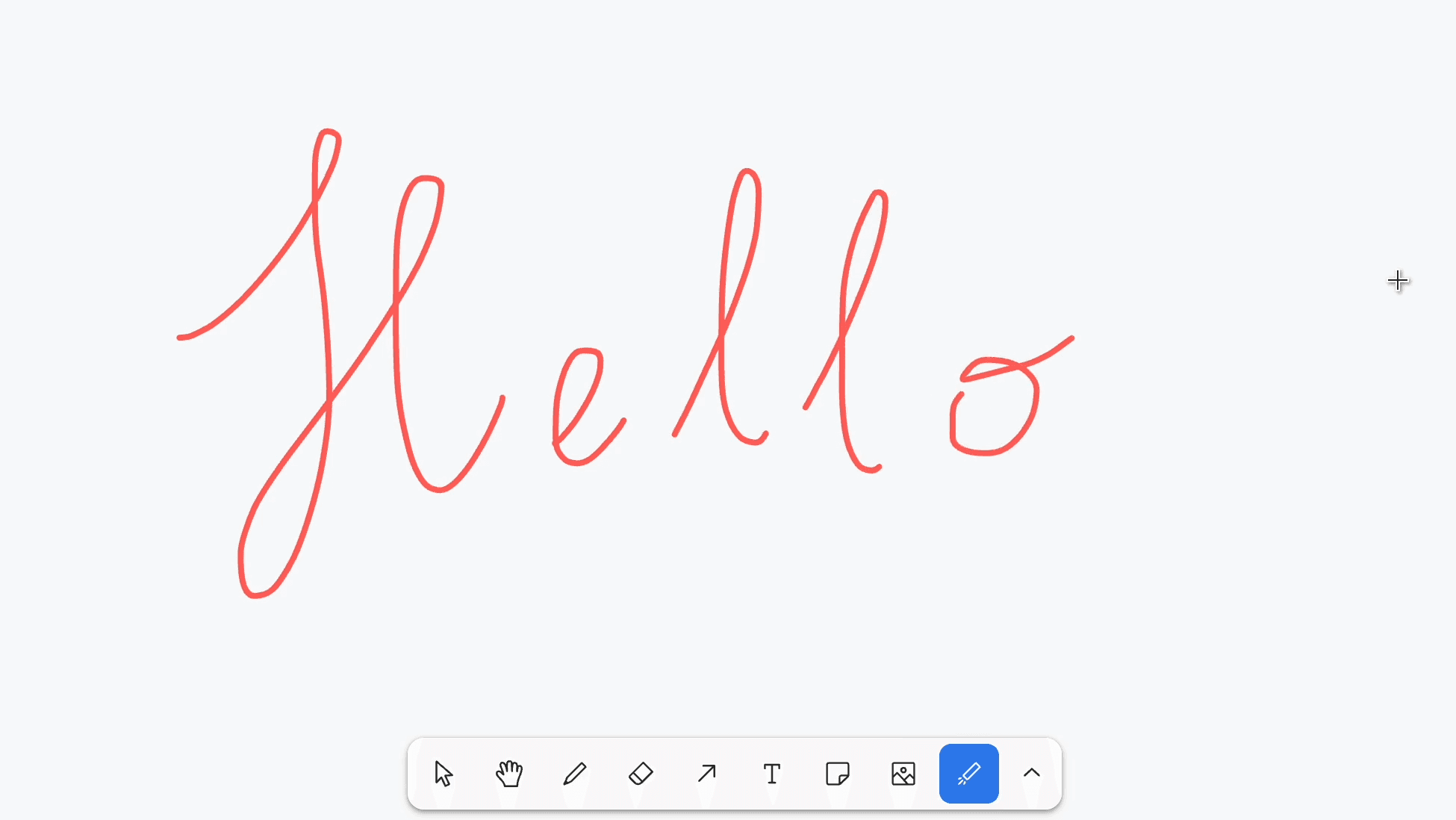
Giving the laser a new feel
The laser tool now behaves more like a telestrator: it stays visible while you’re drawing, then fades once you stop. Previously, each stroke would fade independently. Now, the laser leaves a trailing effect as it fades.
More choices for fill options
You’ll now find additional fill styles in the style panel. Open the dropdown next to the solid fill option to choose from pattern, fill, and lined fill styles. The other three fill options (none, semi, and solid fill) remain as inline buttons.
A new image pipeline starter kit
We’ve rolled out another starter kit, this time for showing how you can build a visual node-based image generation pipeline on an infinite canvas. If you’re looking to explore AI-driven pipelines, this is a great place to start.
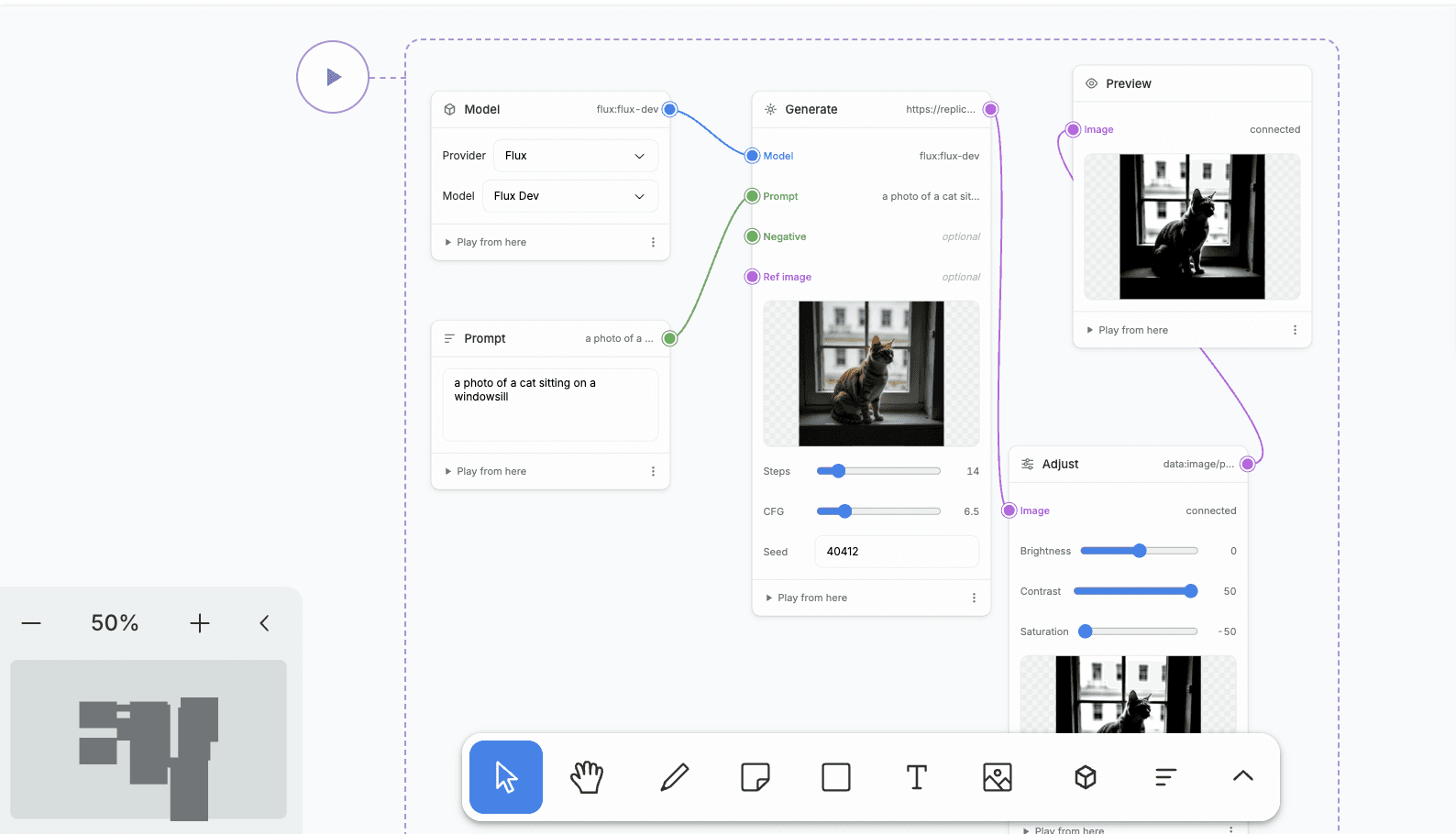
As with all our starter kits, it is MIT licensed, so go ahead and build with it as you like. Learn more on the tldraw docs or get started by running npm create tldraw in your terminal.
And more!
Quick zoom navigation
cameraOptions,textOptions, anddeepLinksprops are consolidated into theoptionsprop.Improvements to the agent starter kit
Preference options to invert mouse wheel zoom
Reducing network traffic in solo mode
As always, thanks to all of the developers this month who opened issues, submitted a PR, or built something awesome with the tldraw SDK. Follow us on Twitter/X or join us on Discord for more discussion and to share your work!